How to create, edit, and share PDFs online easily
This guide highlights how Adobe Acrobat Studio makes it easy to create, edit, and securely share PDFs—all in one place.
How to create, edit, and share PDFs online easily
This guide highlights how Adobe Acrobat Studio makes it easy to create, edit, and securely share PDFs—all in one place.
What is Adobe Acrobat? A Simple Guide
In today’s fast-moving digital world, documents especially PDFs are everywhere. From business proposals and contracts to reports, study materials, and forms, PDFs have become the standard way to share information across devices and teams.
Acrobat Studio is a complete productivity and collaboration PDF solution designed to help you create, edit, review, manage, and share PDFs securely whether you’re working on desktop, web, or mobile. It is important to note that Acrobat Studio is a subscription plan (not a separate tool). It includes.
- Acrobat desktop software
- Acrobat online tools
- Acrobat Reader mobile app
- Adobe Scan app
- AI Assistant
- Adobe Express Premium
- PDF Spaces
Together, these tools allow you to work efficiently from anywhere, on any device.
What truly sets Adobe Acrobat apart today is its AI-powered capabilities, especially the Adobe Acrobat AI Assistant (available in supported Acrobat studio plans), which transforms PDFs from static files into an intelligent, interactive workspace. Instead of just reading documents, you can now interact with them, ask questions, summarize content, and extract insights—saving time and improving productivity.
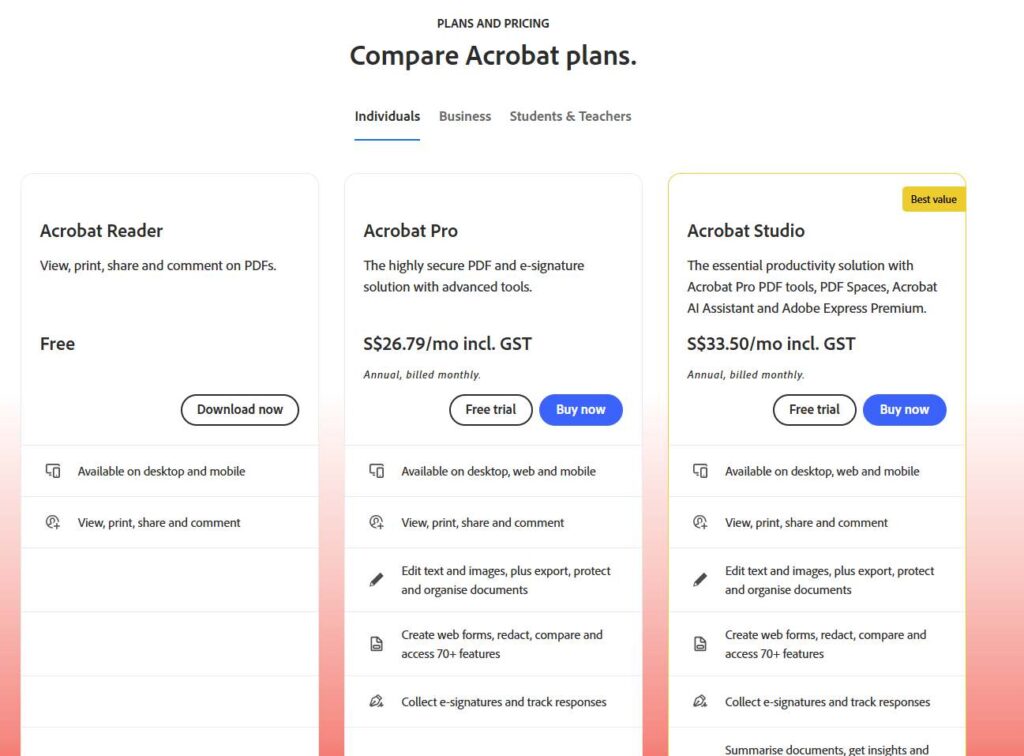
Explore how Acrobat Studio can simplify your PDF workflow and help you work smarter with AI-powered document tools.
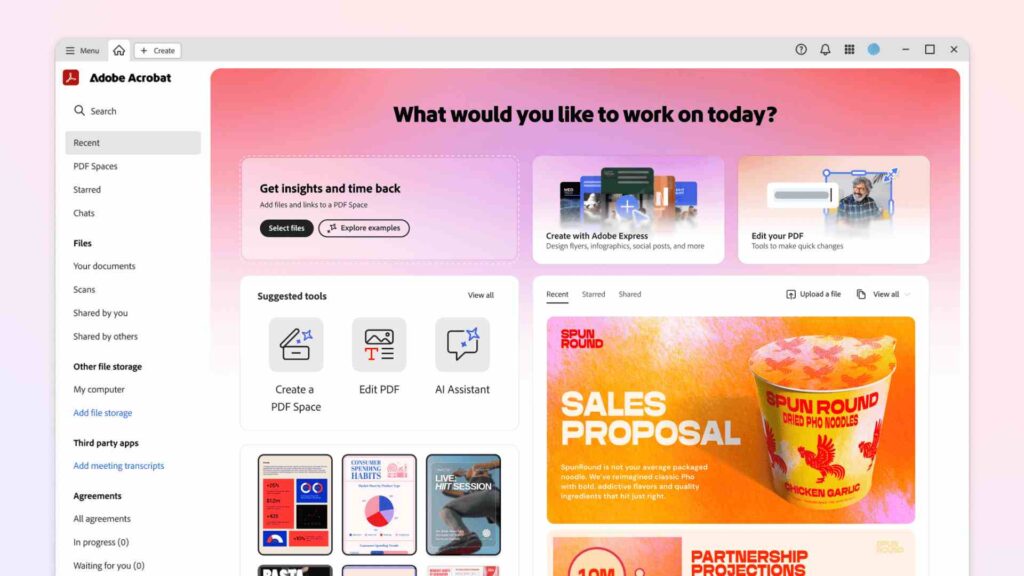
Real-World Ways to Use Acrobat’s AI Tools
Adobe Acrobat Studio is built for anyone who deals with documents regularly, including:
- Business teams
- Freelancers and creators
- Students and educators
- Legal, finance, and operations teams
How Business Teams Save Time with Acrobat AI
For business teams handling contracts, proposals, or reports, reviewing PDFs can be time-consuming. With Adobe Acrobat’s AI-powered document review and summarization (available in supported Acrobat plans), teams can quickly understand key points, flag important sections, and move documents through approvals faster. This helps streamline document review and reduces delays in decision-making.
For Business Professionals , Freelancers, and Students
Business professionals, freelancers, and students often work with multiple PDFs at once—notes, references, research papers, or client files. Acrobat Studio makes batch processing multiple PDF files easier by allowing users to review, edit, and summarize documents efficiently. Instead of switching tools, everything happens in one AI workspace designed to save time and reduce manual effort.
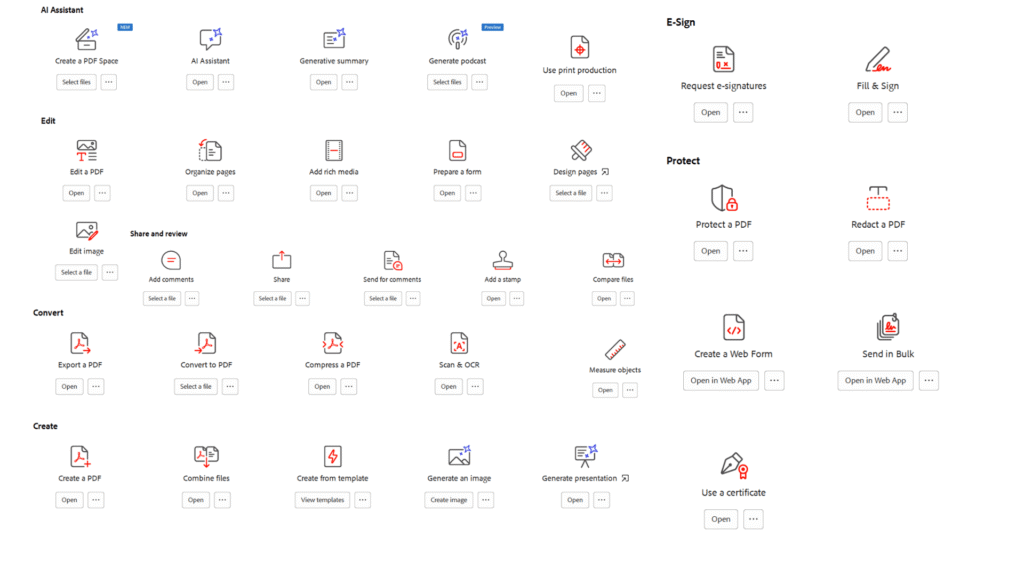
5 Ways Acrobat Studio Simplifies Your Work
These features are included as part of the Acrobat Studio plan, which bundles Acrobat Pro tools with PDF Spaces, AI Assistant, and Adobe Express Premium.
- Document Management – You can organize, store, and manage multiple PDF files efficiently. Features like batch processing multiple PDF files and integrating document workflows make it a time saver for managing files, especially when handling large volumes of documents.
- Editing & Review – You can quickly update text, adjust images, and modify layouts right inside your PDF using Acrobat Studio. With AI for document review, users can review content faster, identify key points, and reduce manual effort. You can add a digital signature to a PDF using Adobe Acrobat.
- Workflow Automation – From automated document approvals to streamlining document review, Acrobat Studio helps teams reduce repetitive tasks and move work forward faster. This is especially useful for businesses handling contracts, reports, and internal documentation.
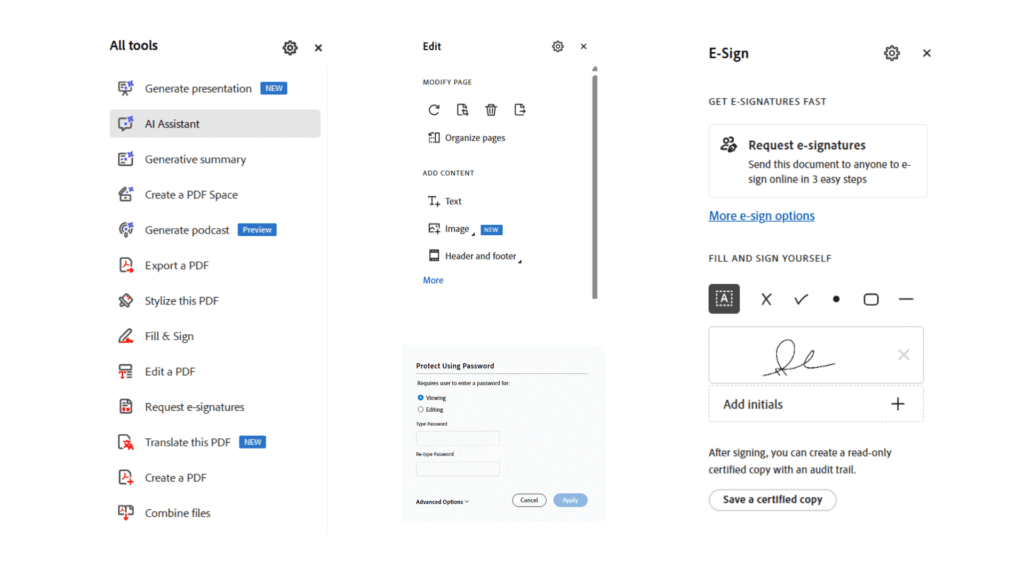
- Share PDF Spaces – PDF Spaces allow you to group related PDFs, files, and links into one shared space. Teams can review, discuss, and collaborate on documents together without sending multiple attachments. It turns document sharing into a more organized and collaborative experience.
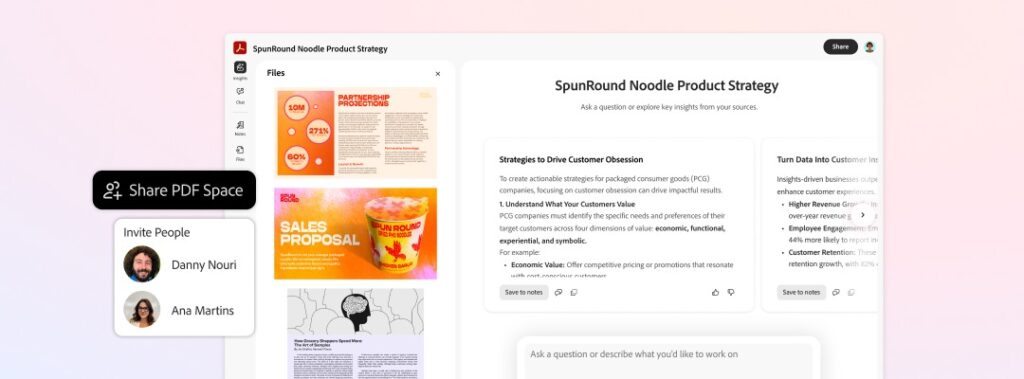
- Create PDF from Templates – With built-in templates, Adobe Acrobat Studio lets you create professional PDFs in just a few clicks. You can quickly generate documents like reports, forms, or proposals without starting from scratch. As a result, documents stay consistent while you save time on repetitive tasks.
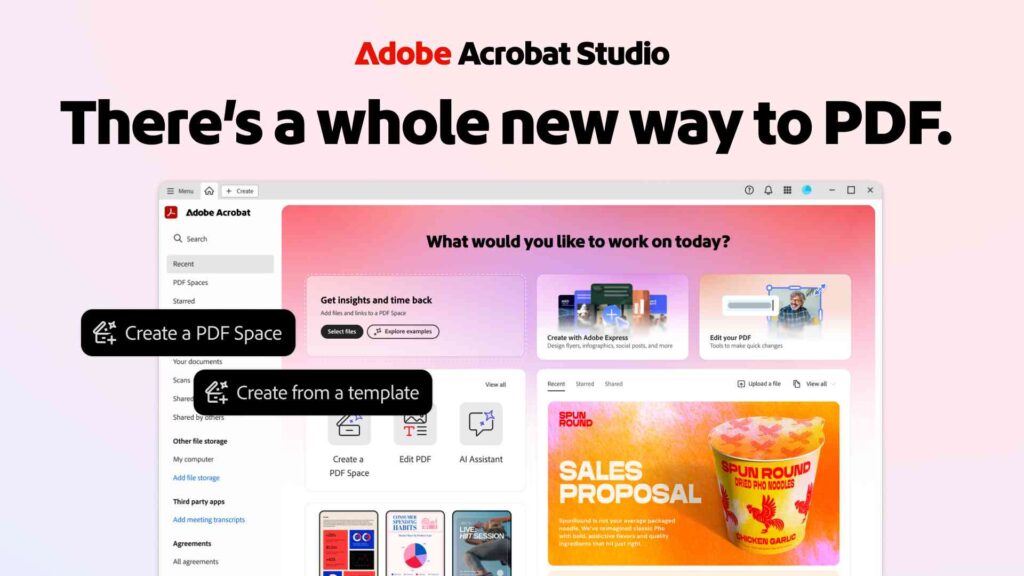
Product Highlights & Benefits-
1. PDF Spaces: A Feature Included in Acrobat Studio Plan
PDF Spaces makes it easy to organize your files and websites in one place. Instead of just storing documents, it turns them into a shared “knowledge hub.” You get a personal AI assistant that can answer questions, summarize details, and help you find exactly what you need in seconds. It’s the simplest way to share information and get work done faster.
Instead of treating PDFs as static files:
- You can group related PDFs and web links together
- Ask questions across all files at once.
- Get insights, summaries, and recommendations
This creates a dynamic environment for uncovering insights, where PDFs actively help you think, analyze, and decide—rather than just store information.
Key benefits:
- Faster document review
- Better understanding of complex information
- AI-powered collaboration across teams
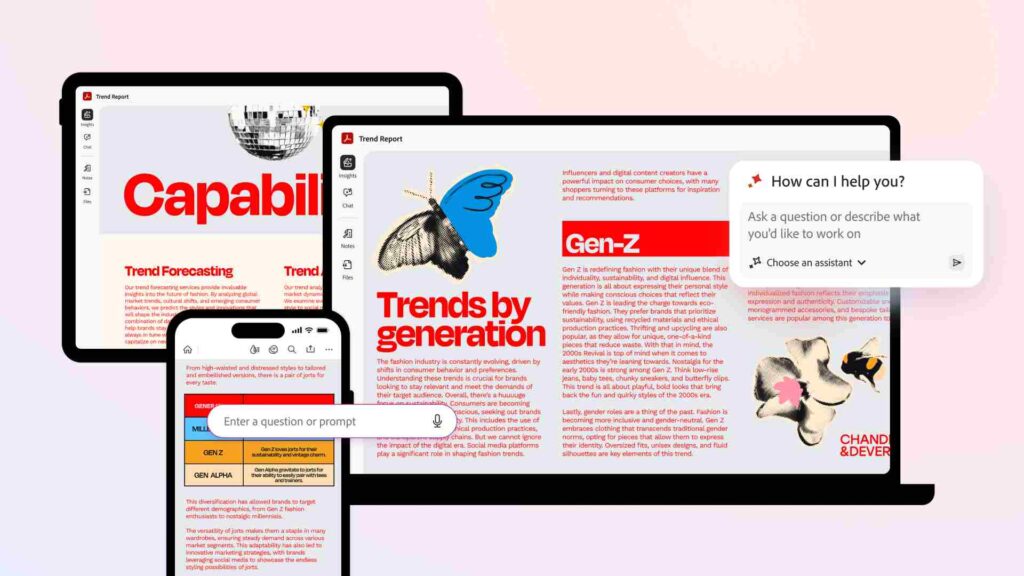
2. Acrobat Studio: Create, Edit, and Learn in One Place
Acrobat Studio is a premium Acrobat plan that includes Acrobat Pro features along with PDF Spaces, AI Assistant, and Adobe Express capabilities—so you can create content and manage PDFs in one unified workflow.
- You can create visual content (using Adobe Express)
- Edit and manage PDFs
- Learn from documents using AI
Do everything in one unified workspace
Adobe Acrobat lets you add a signature to your PDF
- You can create visual content (using Adobe Express)
This makes it seamless to create, edit, share, and learn from documents and visual content in the same place, without switching between multiple tools.
Benefits include:
Effective concepting (turning ideas into documents faster)
Intuitive design that’s easy to use.
- AI-powered productivity for modern teams
3. Secure, Time-Saving Document Workflows
Acrobat Studio is built with a highly secure AI workspace, ensuring your data, documents, and ideas stay protected. Adobe Acrobat is trusted by individuals, professionals, and businesses worldwide for secure document management.
With streamlined document workflows, you can:
- Automate reviews and approvals
- Reduce manual back-and-forth
- Save hours on repetitive document tasks
This is especially useful for businesses managing
- Market research
- User interviews
- Trend reports
- Legal or operational documents
Everything stays organized, secure, and easy to access.
4. AI Summarization: Faster Decisions, Better Insights
It allows you to:
- Summarize long PDFs in seconds
- Combine insights from multiple files
- Turn complex information into one clear, actionable summary.
Whether you’re reviewing research documents or internal reports, this feature helps guide next steps and decision-making without spending hours reading.
This is where Acrobat Studio becomes a powerful smart document assistant, helping you summarize and review documents faster for better decision-making.
Adobe Acrobat has evolved far beyond a simple PDF reader. With AI-powered collaboration, custom AI workflows, and an intelligent document workspace, it’s designed for modern teams and individuals who want to work smarter—not harder.
Whether you’re creating documents, reviewing files, or managing workflows, Acrobat Studio provides a secure and intuitive workspace built for today’s document-driven world.